CodeCut
CodeCut is a video editor that allows users to edit motion graphics together with an AI agent. The user and the agent work on the same timeline, and each change from either side appears in the other’s view in real time.
- Role
- Independent developer
- Timeline
- October 2026, version 0.3
- Built with
- Python, ffmpeg, headless Chromium, Swift, MCP
- Links
- Source on GitHub ↗
AI can now generate professional motion graphics, but micro-editing them is still slow.
With models such as Claude Opus 5.5, an AI agent can generate a polished motion graphics video, with titles, captions, animated charts and lower thirds, from a single prompt. The graphics are built with HTML, CSS and SVG and rendered into video frames.
Micro-edits are the problem. Moving one caption by half a second or changing one colour takes a new prompt, a full re-render and another review of the whole video. The output is a flattened file, so users cannot adjust individual elements themselves. The tools that keep generated graphics editable run as local web servers and need technical setup.

CodeCut allows users to edit with an agent, while the code behind each graphic stays editable underneath.
Each generated graphic remains a live template. Its text, colours and numbers are exposed as parameters in the editor, and its source code stays available to the agent. The user edits in the CodeCut app, and the agent edits through a command-line interface or the Model Context Protocol (MCP). Both write to the same project file, so every change reaches the other side within a fraction of a second, carries its author’s name, and can be undone by either side.
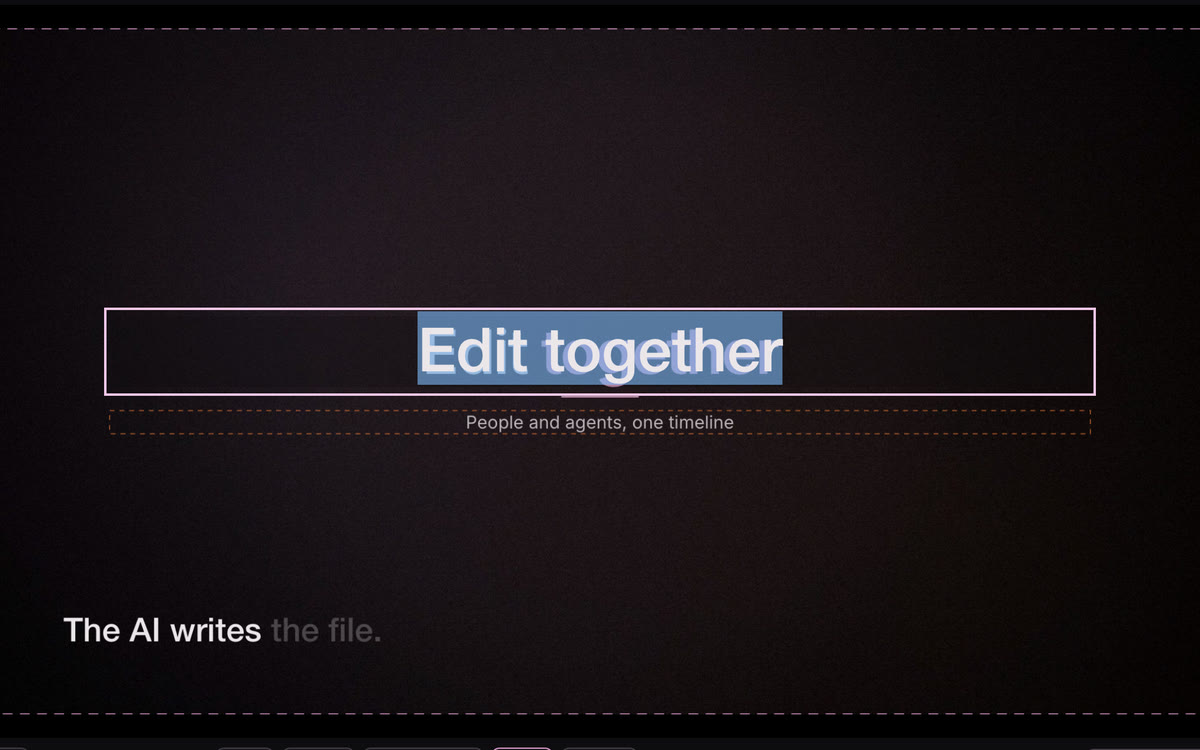
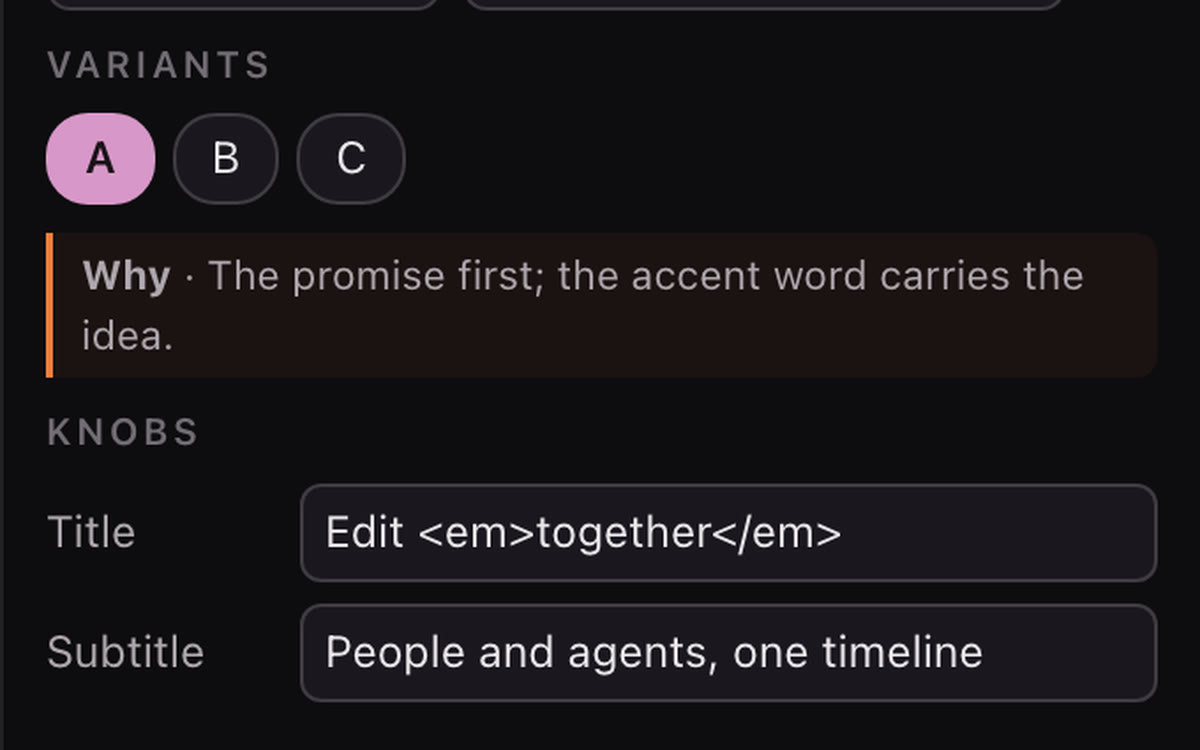

I invented a new file format, the .codecut file, which users open in CodeCut the same way they open an MP4.
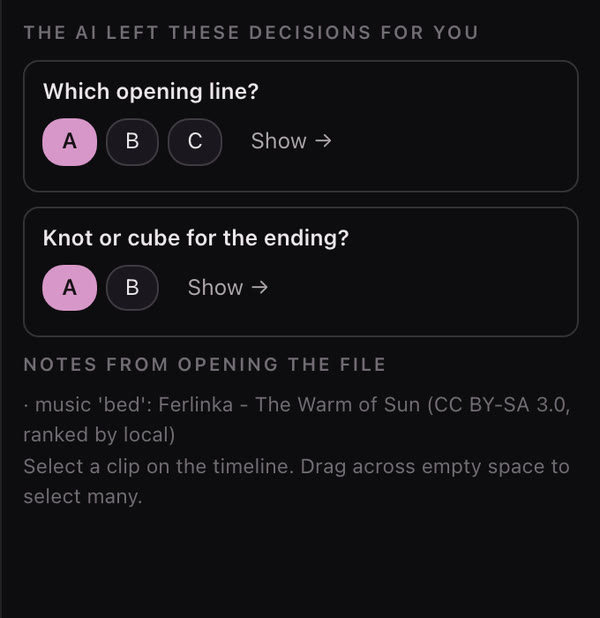
A .codecut file stores a complete video edit as plain text. It contains the timeline, the code of each graphic, the parameters users are allowed to change, alternative versions, and the questions the agent leaves for the user. Users drag the file into CodeCut or double-click it, and every element opens in an editable state.
CodeCut is a native macOS app, so no server or browser setup is required. When the user saves, the agent receives the updated file and continues from the current state of the edit.
codecut 1
title  CodeCut launch
size   16:9
theme  bg #0E0C10  accent #D897C9

0:00  title  #intro  3s  "Edit <em>together</em>"
      sub      People and agents, one timeline
      edit     text, sub
      variant B  text "One timeline, <em>two</em> editors"
      why      The promise first.

captions  karaoke
  0:00.3  The AI writes the file.

ask #intro "Which opening line?"
Common micro-edits happen directly on the picture, and only changes that need judgment go to the agent.
I studied how AI app builders, AI video editors and video review tools handle small changes. The products that users praise apply predictable edits directly and send only the rest to an AI model.
In CodeCut, selecting a caption or a graphic opens a small bar of actions above it: bigger or smaller, earlier or later, faster or slower, and delete. Inside a generated graphic, users can select a single line of text, then resize it, drag it to a new position or hide it. These edits run in the editor without calling a model, so they use no tokens and can be undone like any other change. For changes that need judgment, such as a calmer animation or new wording, the Change button saves a note on that part of the timeline for the agent.

Users review the edit range by range, and all of their notes reach the agent in one request.
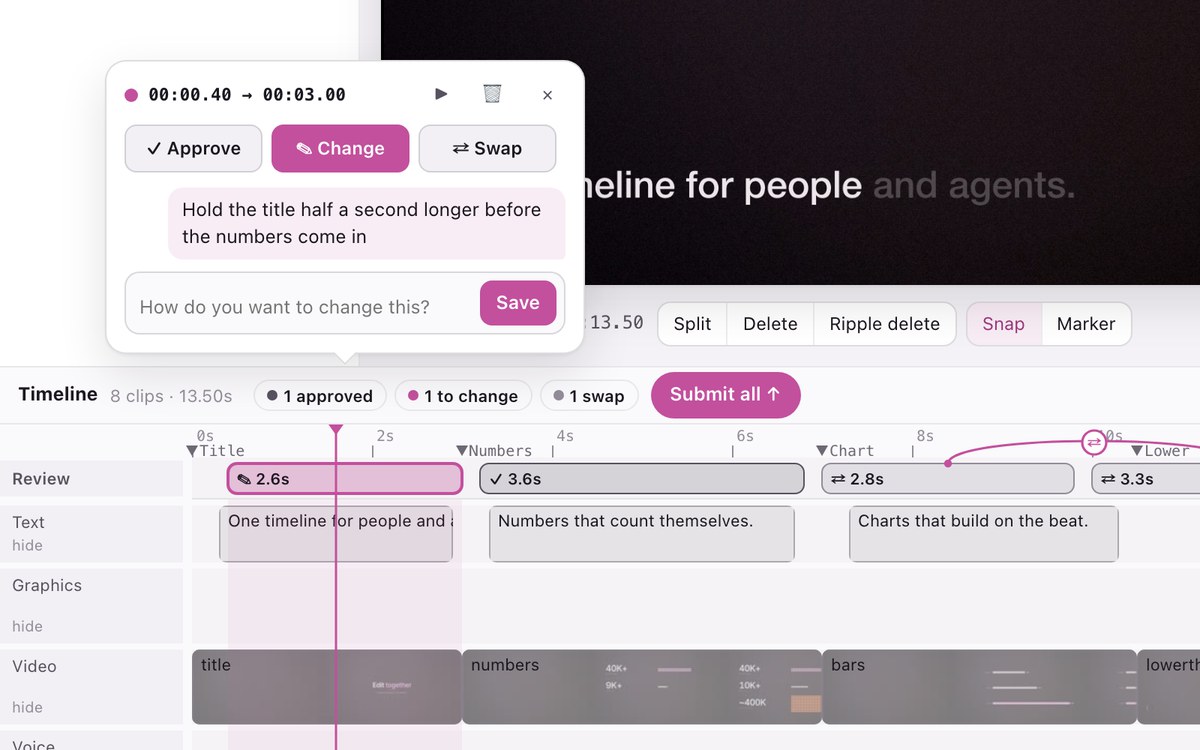
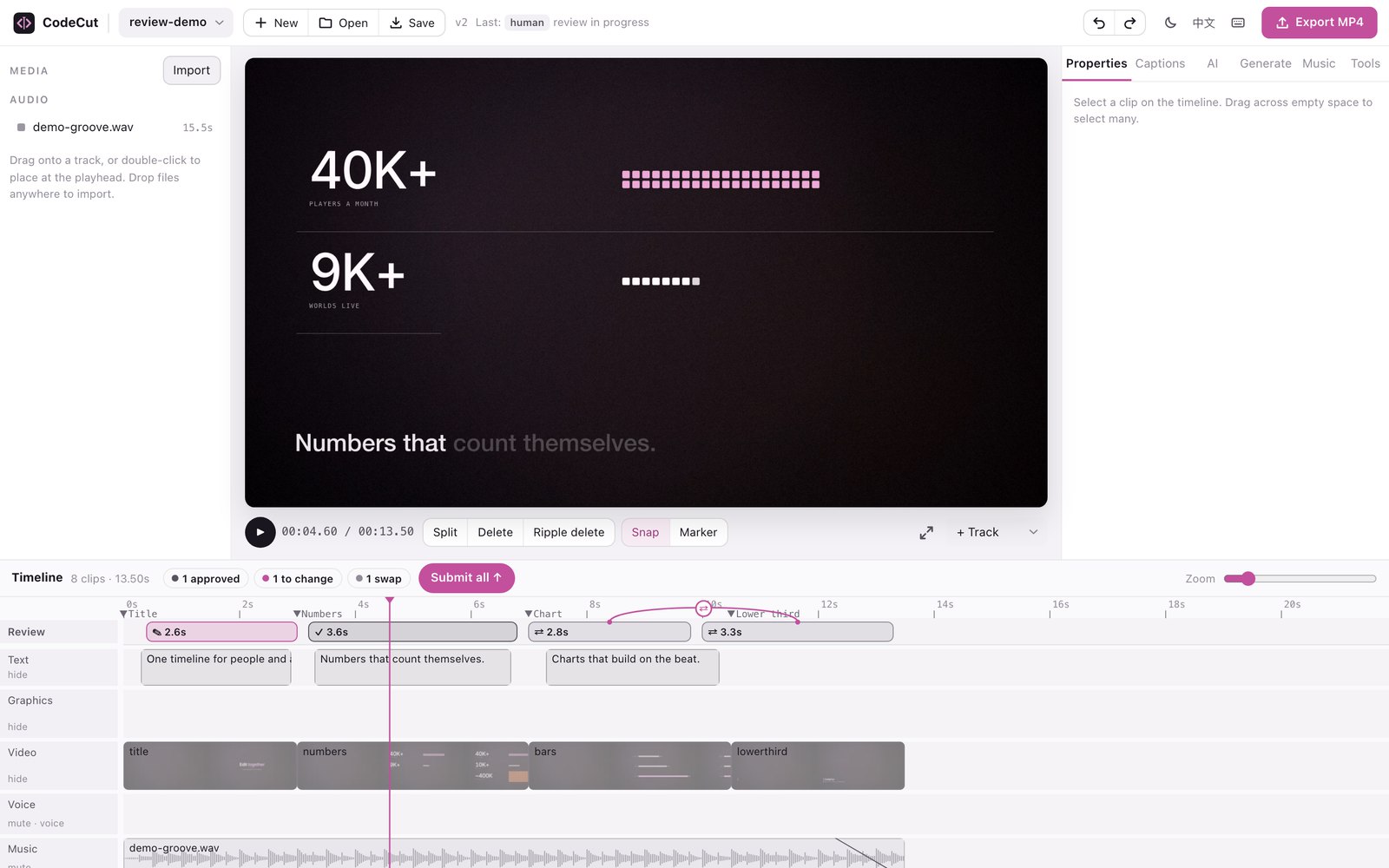
Revising an AI-made video through chat requires users to describe each change in a message and point to it by timestamp. In CodeCut, users drag across the Review lane above the timeline to select a range, then approve it or type how they want it changed. Each note is saved on its range and is not sent yet.
To reorder the video, users connect two ranges, and an arc on the timeline marks the swap. When the review is complete, Submit all carries out the swaps and sends every note to the agent in a single message, with the time range and the clips each note refers to. Approved ranges are listed in the same message, and the agent is instructed to leave them unchanged.
Each change appears at once, while the video renders in the background.
When an agent opens a .codecut file, CodeCut opens the editor immediately and plays each graphic from its live template while its video file renders. Renders made during editing are drafts at half resolution, which take about three seconds for a three-second title instead of eighteen. CodeCut replaces each draft with a full-quality render when the project is idle and before export. Each render is cached by its inputs, so returning to an earlier version or variant does not render again.
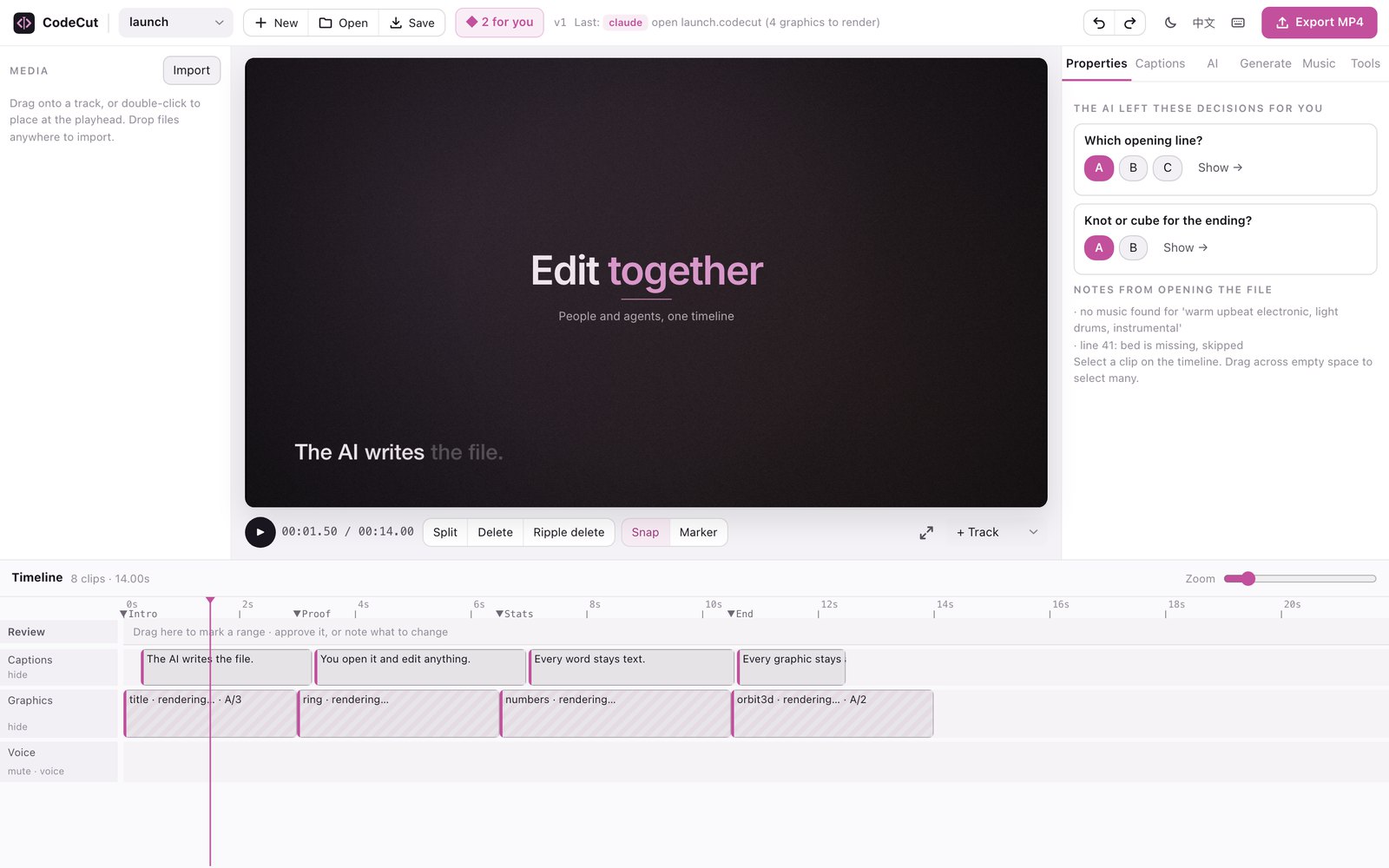
The rest of the editor covers captions, music and a built-in agent panel.
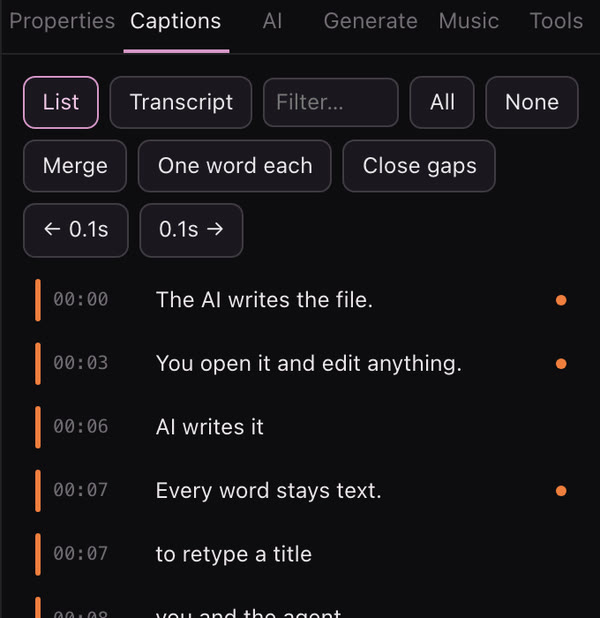
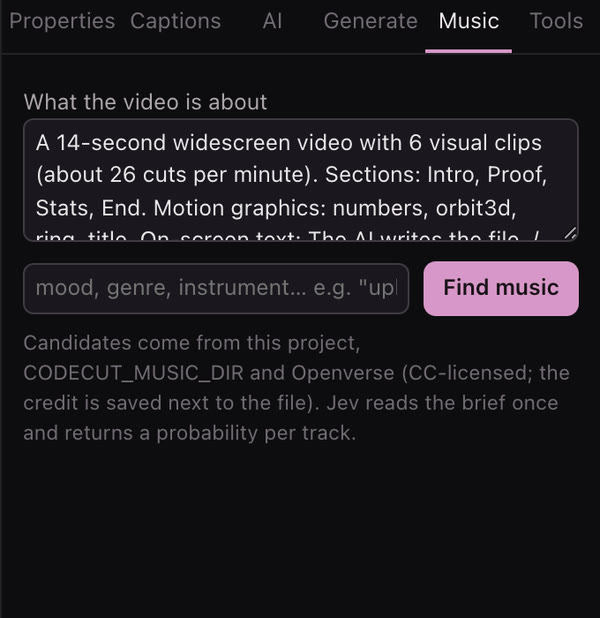
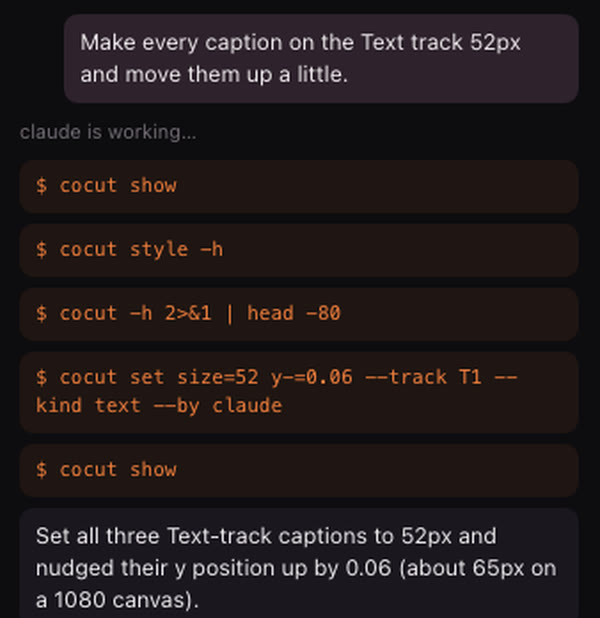
Captions are edited as a timed list. Music is found from a text description of the video. The AI tab sends a request to Claude Code or Codex running in the background, and each command it runs appears in the panel as it works.